Imaging Protocol
This page describes how images are captured for acne clinical trials using Legit.Health, and how two diagonal photographs of the face produce the lesion count and the ALADIN (Acne Lesion And Density INdex) score. It also covers image quality control, patient preparation, and site standardisation.
The example images on this page are synthetic dermatology imagery used for illustration; they are not patient records.
Image capture hardware compatibility
Smartphone-based capture
Legit.Health uses standard smartphone cameras for image acquisition. No specialised photography equipment is required.
Traditional clinical photography often relies on dedicated imaging systems, which require per-site hardware, per-site calibration, and significant rental or purchase costs. Smartphone-based capture eliminates these costs while maintaining the image quality needed for AI scoring.
The Legit.Health mobile application guides investigators through the capture process with visual perspective silhouettes, real-time DIQA quality checks, and immediate feedback on image adequacy.
Camera-based capture
Smartphones are the default input, but they are not the only one. The same AI also scores images from professional, camera-based photography systems, which capture higher-resolution, more consistent images than a smartphone. Sponsors that already run standardised imaging at their sites can keep that setup and still obtain automated Legit.Health endpoints.
For studies that require standardised photography hardware, Legit.Health partners with QuantifiCare, a specialist in standardised 2D and 3D clinical imaging for dermatology trials.
Standard capture protocol
The default protocol captures 2 images, a left and a right diagonal view at about 70 degrees, so that each photograph shows one half of the face, from the midline to the ear. Counting inflammatory lesions on each half of the face follows the Hayashi criteria (Hayashi et al., 2008), and it is the capture on which ALADIN was designed (Medela et al., 2026). The app guides the person taking the photographs through both views, with silhouette guidance and a real-time DIQA quality check before moving to the next.
2 images (left diagonal and right diagonal)
Perspectives
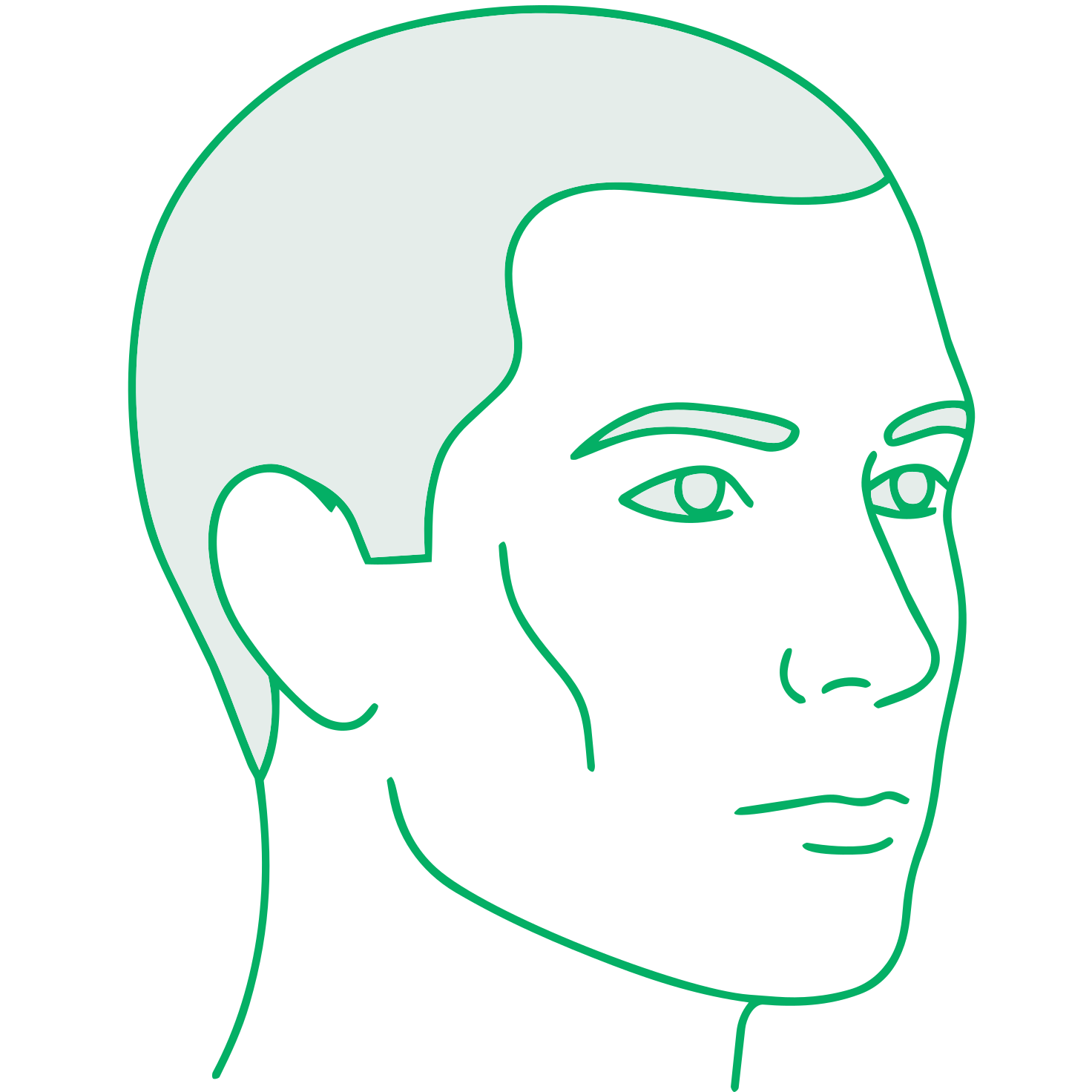
Left diagonal, about 70°
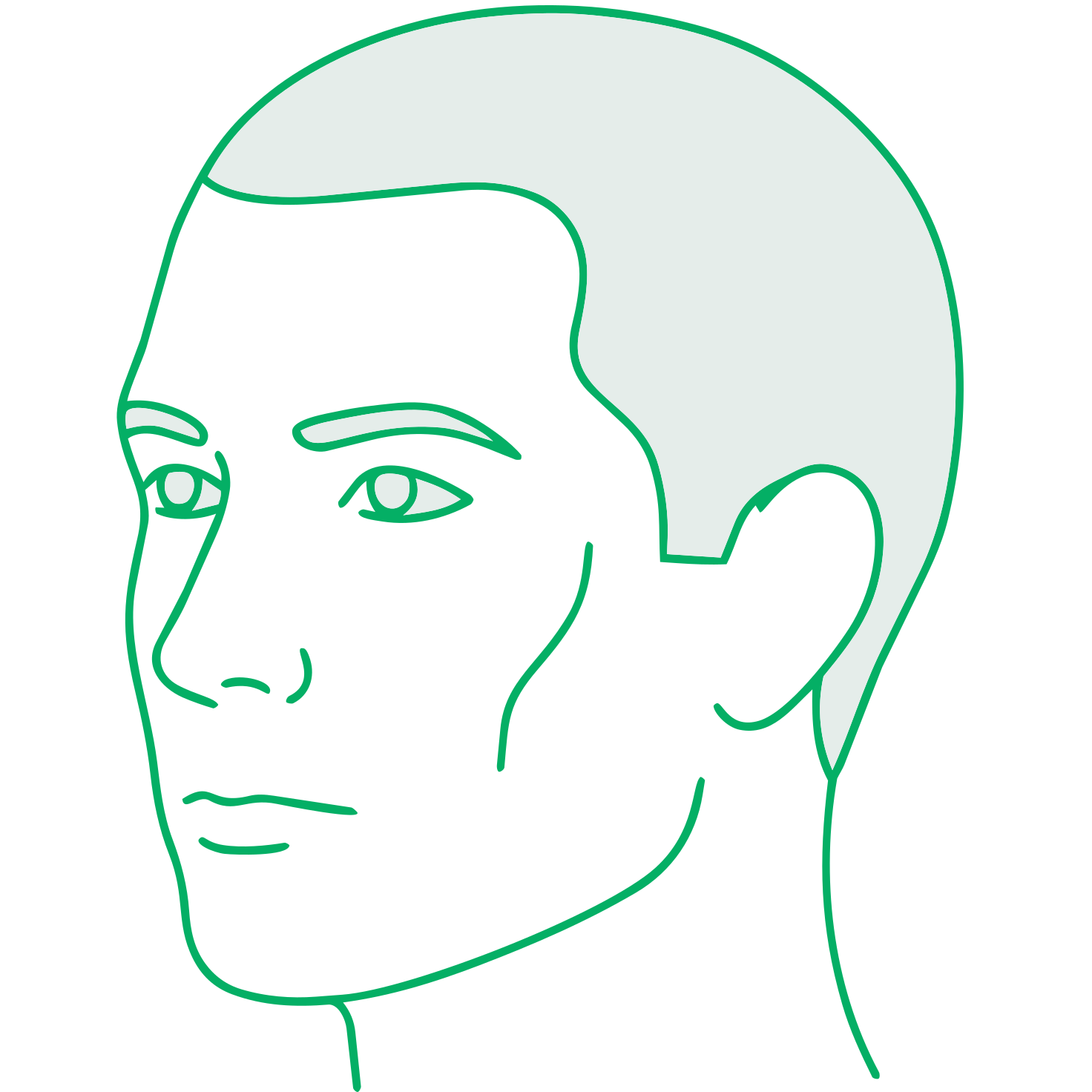
Right diagonal, about 70°
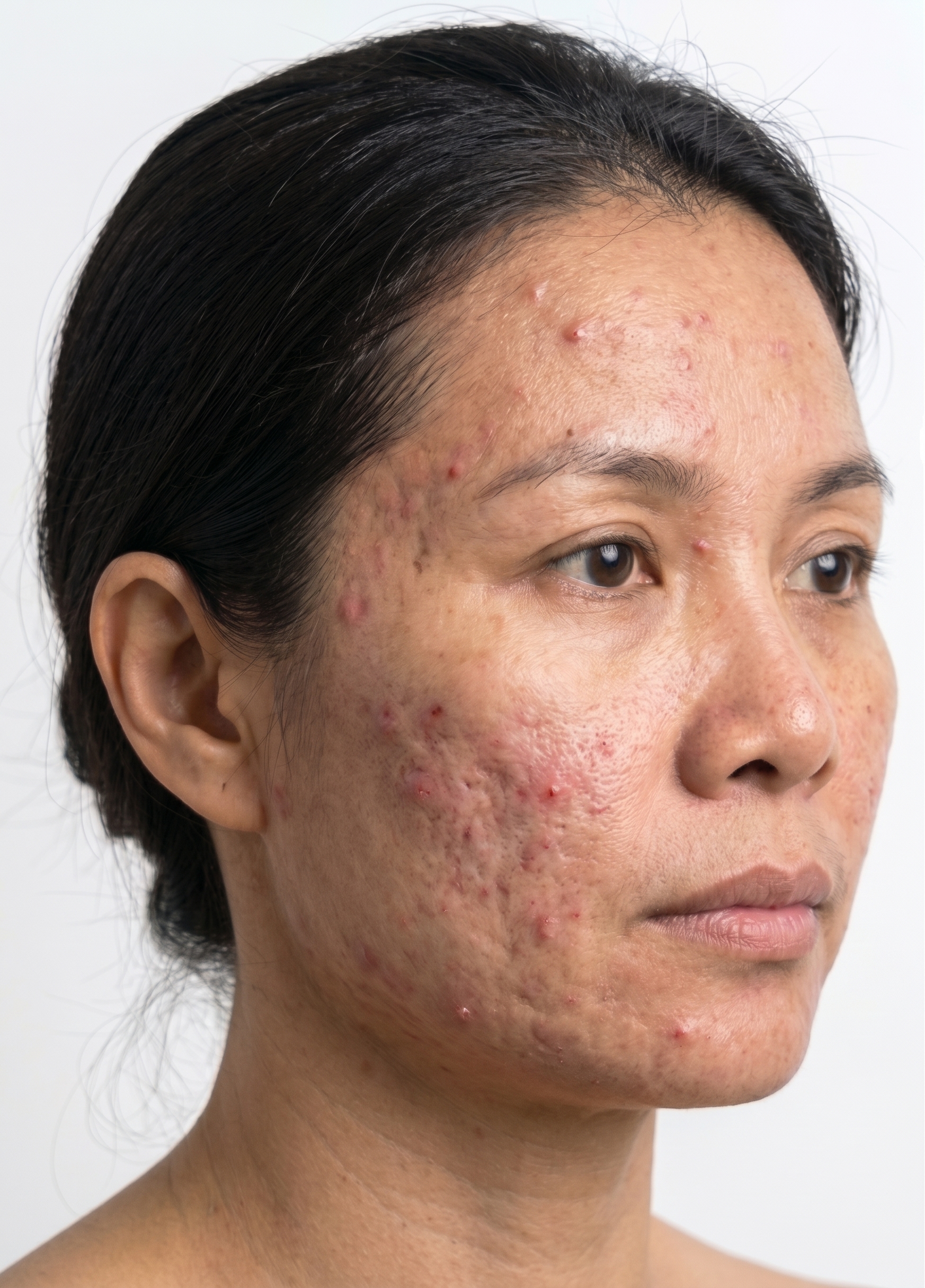

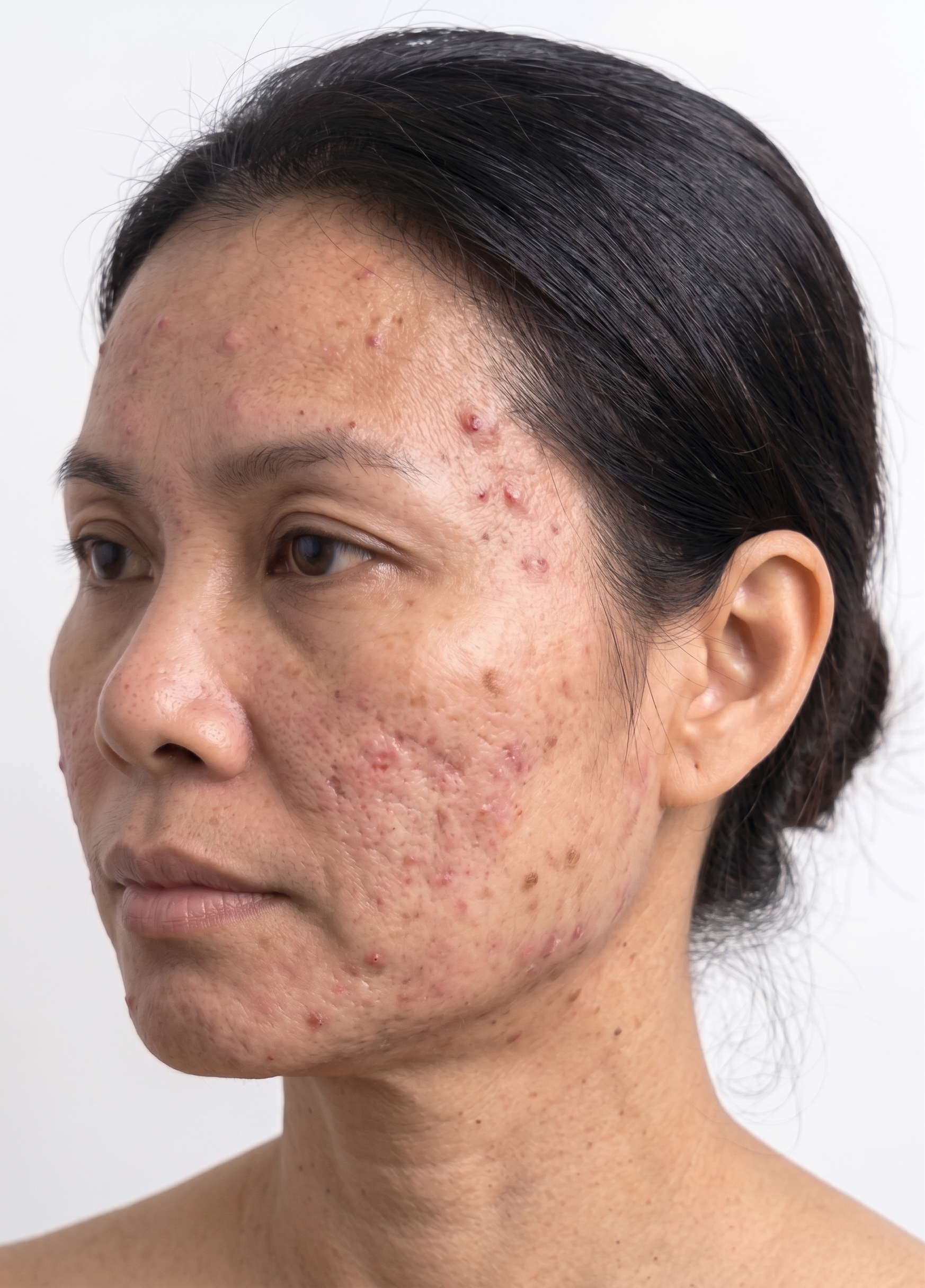

Each diagonal view covers one half of the face, so the two photographs together cover the forehead, the cheeks, the nose, the chin and the jawline. The two views meet in the middle of the face, where a lesion can appear in both, so the results are reported per view; see Overlap between views. This two-view set is the standard protocol. A single diagonal view at 70 degrees can be agreed for protocols that need it, and a frontal view is not used; other capture sets are agreed only on a sponsor's specific request, during protocol design.
Capture technique
- Distance and framing: The shortest distance at which the whole face is in frame in the diagonal view. The AI counts every lesion it sees, so the photograph should include only the area to be assessed
- Patient position: Seated, looking straight ahead, and still during the capture
- Angle: The camera turned about 70 degrees to each side of the face, the same at every visit
In decentralised and hybrid designs, a diagonal view of one's own face is hard to take by hand. Recommend that patients use a tripod and the phone's timer or a remote shutter, so the phone stays at the same distance and angle while the patient turns to each side.
DIQA: Dermatology Image Quality Assessment
What is DIQA?
DIQA (Dermatology Image Quality Assessment) is an AI-powered image quality assessment algorithm that evaluates every captured image in real time before it is accepted for analysis. It was developed by Legit.Health and published in the Journal of the American Academy of Dermatology (Hernández Montilla et al., 2023).
What DIQA evaluates
| Quality dimension | What it checks | Why it matters |
|---|---|---|
| Focus | Sharpness of the image; absence of motion blur | Out-of-focus images can obscure small lesions, leading to undercounting |
| Lighting | Adequate, even illumination; absence of harsh shadows or glare | Poor lighting creates shadows that mimic or hide lesions |
| Framing | Correct anatomical region captured at the required angle | Incorrect framing means the AI analyses the wrong area |
| Resolution | Sufficient pixel density for lesion detection | Low resolution makes small features undetectable |
How it works in the workflow
- The investigator or patient captures an image through the mobile application
- DIQA evaluates the image immediately (sub-second processing)
- If the image passes: it is accepted and queued for AI scoring
- If the image fails: the person capturing the image receives immediate feedback explaining the quality issue and must recapture
The DIQA pass/fail threshold is configurable per study protocol. Sponsors can choose stricter thresholds for pivotal studies (rejecting more images to ensure the highest quality) or more lenient thresholds for real-world evidence studies.
Patient preparation
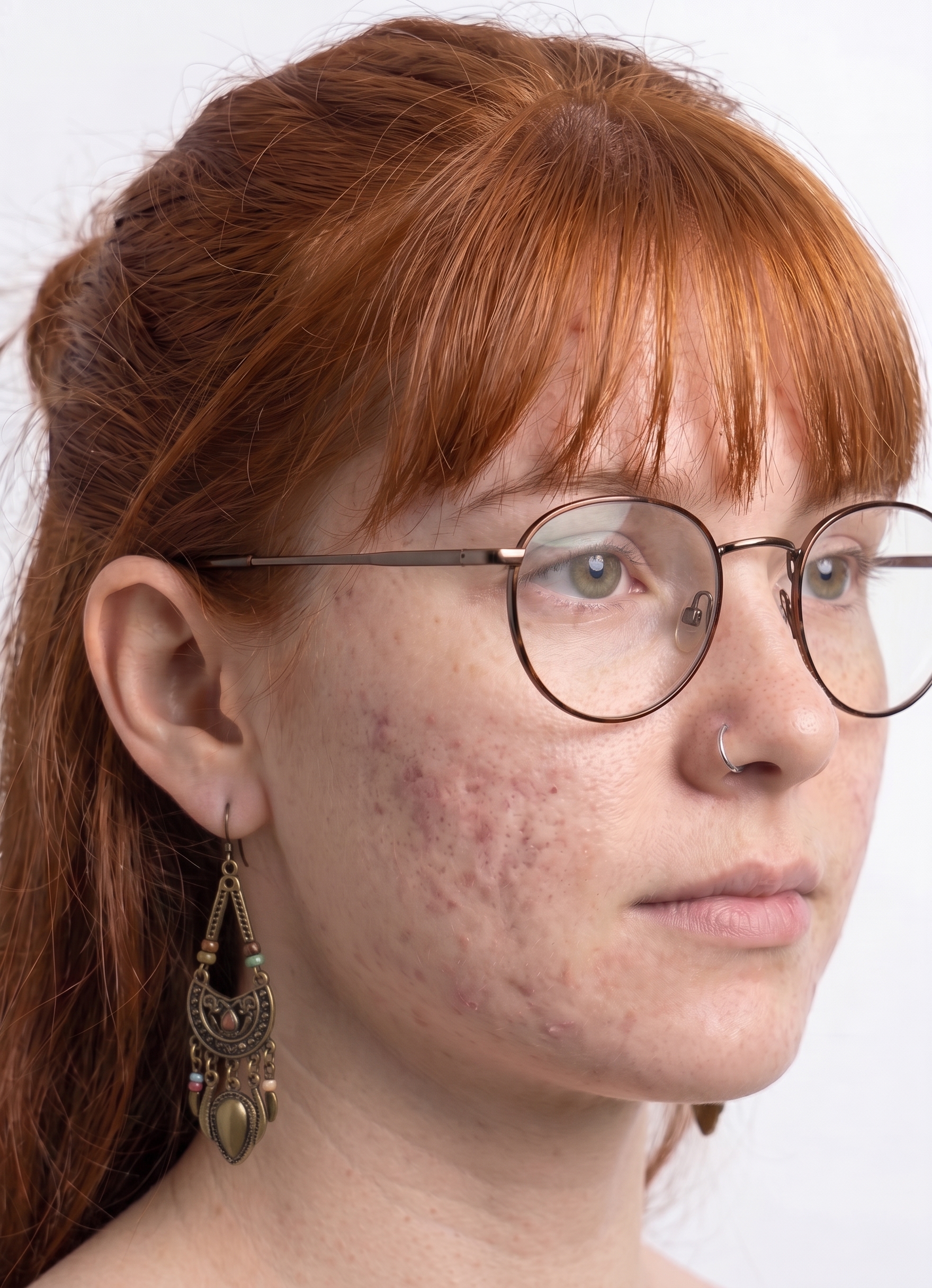
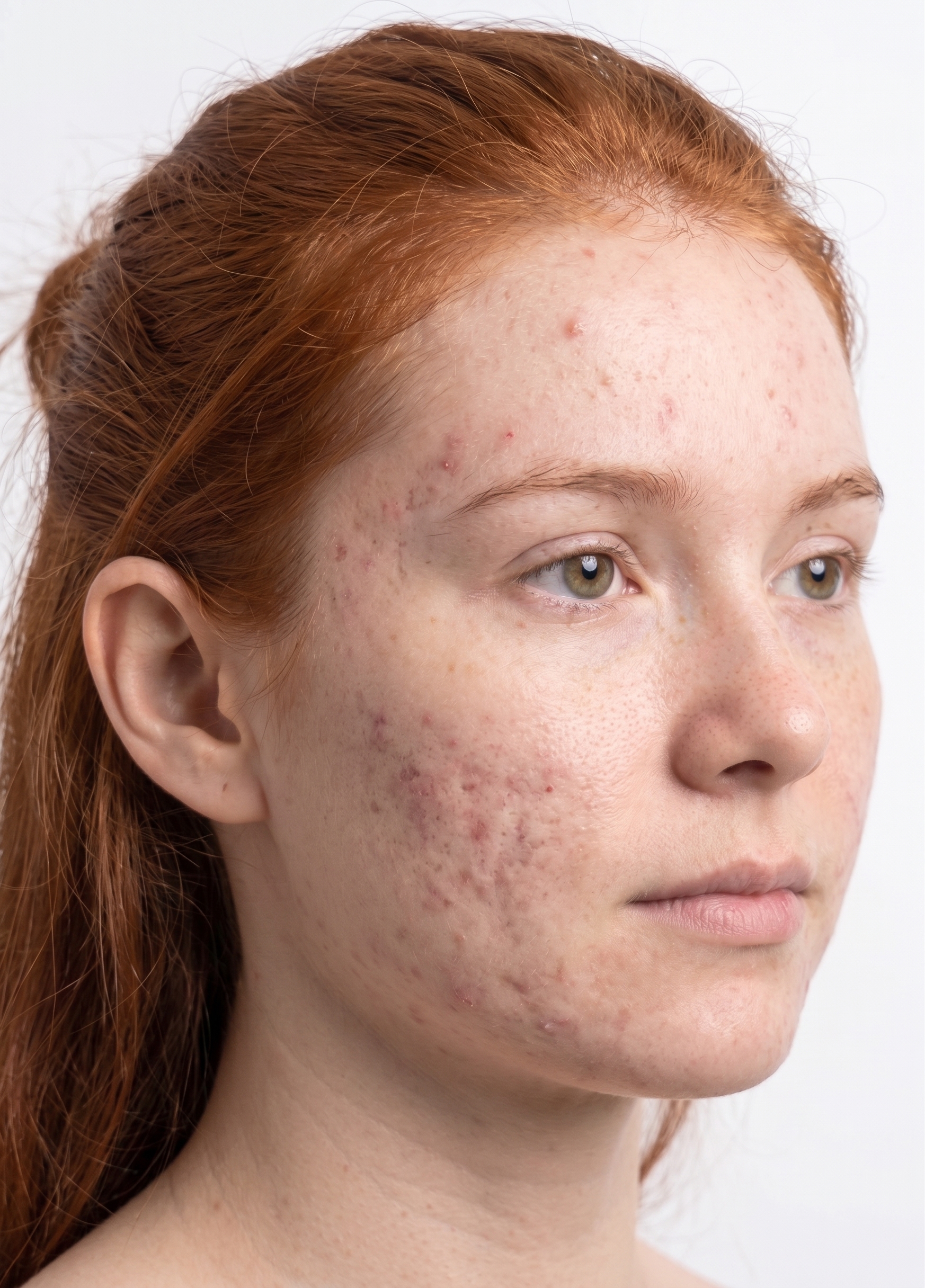
- Remove make-up, foundation and concealer, which can hide inflammatory lesions
- Tie the hair back so that it does not cover the forehead, the temples or the jawline
- Remove glasses, which hide part of the face and cause reflections and shadows
- Remove earrings and facial piercings, which can hide lesions or be counted as one
- Keep facial hair the same throughout the study, to minimise variability between visits
Environmental conditions
- Background: Neutral, non-reflective background, which reduces artefacts and helps separate the face from its surroundings
- Lighting: Well-lit environment with even illumination. Natural light or the smartphone flash can be used. Avoid harsh directional light, which creates shadows or shine where small lesions disappear.
The most important principle is consistency: the same lighting conditions, the same distance, the same angles, and the same patient preparation at every visit. Consistent capture conditions ensure that score changes between visits reflect actual clinical changes, not variations in image acquisition.
Anonymisation
Send the photographs as they were taken: without anonymisation, filters or cropping. Lesions sit around the eyes and the mouth, and a mask drawn over the face can hide them or be read by the algorithm as part of the skin it scores, so the images are anonymised after scoring, with black boxes over the eyes and the mouth, before they are exported or shown outside the platform. The other images in this section are shown unaltered, the way sites should send them.
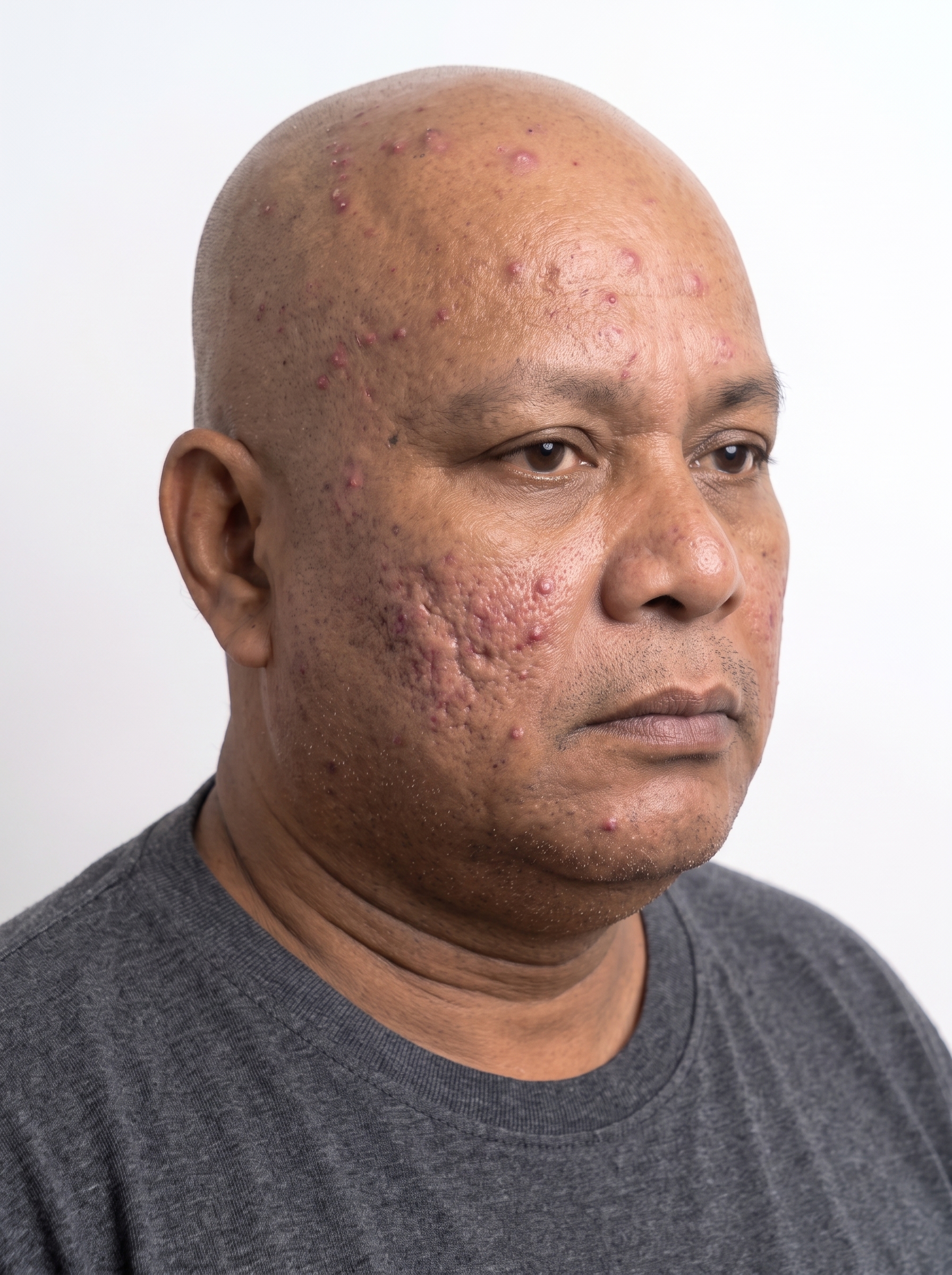
As captured and sent for scoring.
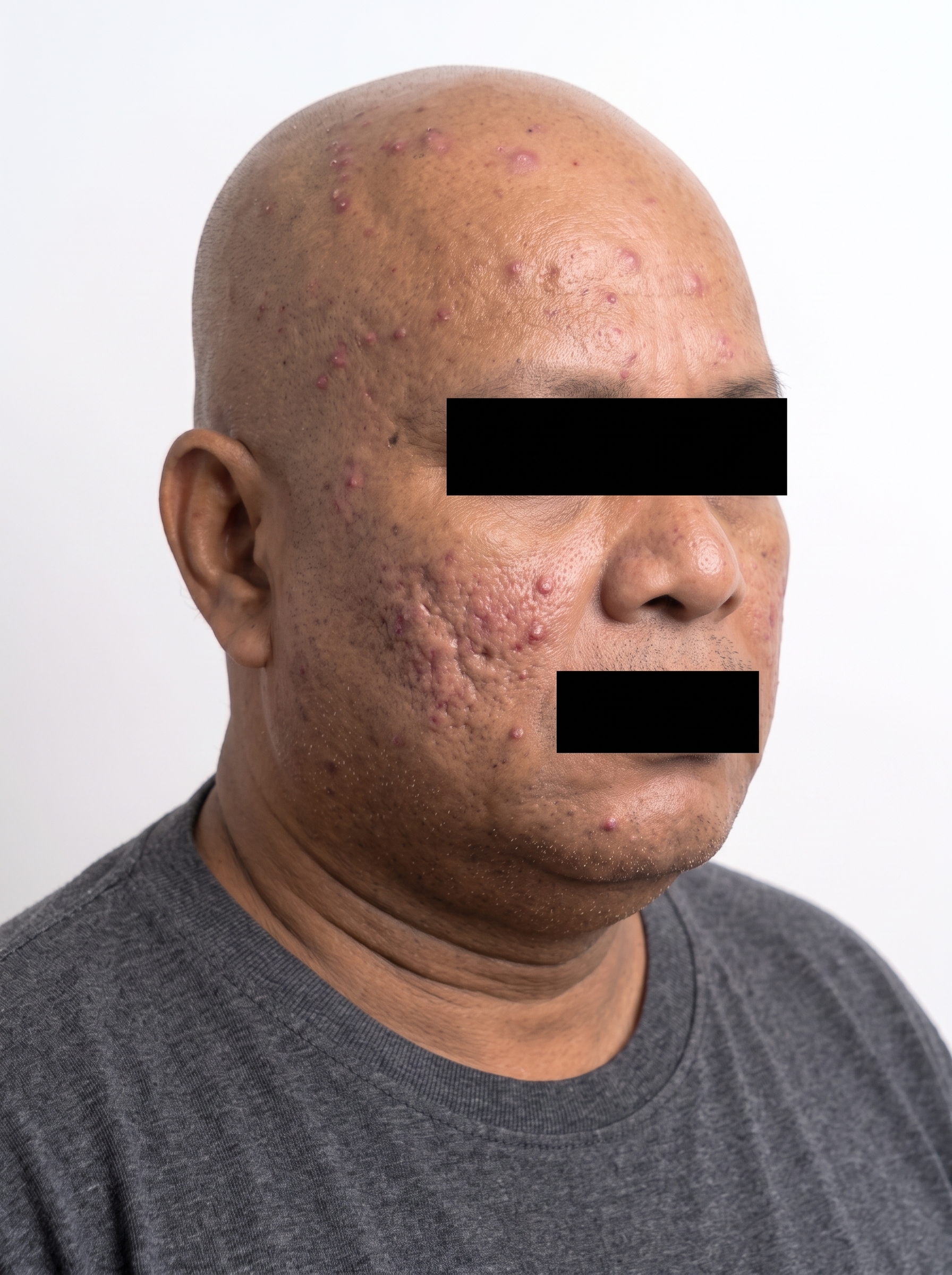
Anonymised after scoring: black boxes over the eyes and mouth.